AI Video : Generator & Maker
- 4.5
- Rating
- 100.00K
- Installs
- Free
- Price

 Analysis by App-foxy
Turning a still image into something that feels alive is no longer limited to a desktop editor. AI Video : Generator & Maker takes that idea and puts it into a mobile art and design app, combining AI photo tools with photo-to-video, text-to-video, and image-to-video creation. I found it most interesting when I treated it as a quick idea-to-preview tool rather than a complete replacement for a traditional video editor.
The app is free to install and is made by Plus Apps Bilisim Teknolojileri Ltd. It is aimed at Everyone, which fits its approachable design and broad creative focus. Its current version is 1.4.4, and it runs on devices using iOS 11 or later. The app has built a 4.5 average from around 6.3 thousand ratings, with over 100 thousand installs, so it is clearly attracting people who want fast AI-assisted video experiments rather than a complicated production suite.
My overall impression is positive but specific: this is a convenient place to test visual ideas, animate a photo for social media, or turn a short written concept into a quick clip. It is less convincing for users who need precise timing, dependable character continuity, detailed sound editing, or a polished final film. That difference matters, because the word “maker” can suggest a full editing workstation, while the experience feels closer to a creative generator with lightweight finishing options.
You May Also Like

 Blood Strike: 2.5 Anniversary
Blood Strike’s Loadouts Turn Every Drop Into a Tactical Gamble
A close look at Blood Strike’s custom loadouts: how fast access to signature weapons reshapes its battle royale rhythm, rewards preparation, and narrows the gap between fights.

 Pandora - Music & Podcasts
Pandora’s Music Is Easy to Start, but Harder to Recover
Pandora’s strength is its low-effort path from a seed to a station. Its weak spot is how much confidence it asks you to place in connection, setup, and quiet recovery.

 8 Ball Pool
 Is Built on Rivalries, Rematches, and Routine
A close look at the rivalries, rematches, shared routines, and unanswered safety questions that turn a quick pool match into a persistent mobile community.

 Samsung Music
’s Quiet Strength Is Playing What You Already Own
Its reach comes less from spectacle than from dependable access to a personal library. That simplicity is both the app’s strongest retention engine and its ceiling.

 AccuWeather: Weather Radar
AccuWeather Review: A Quick, Clear Forecast for Everyday Decisions
For everyday plans, the best forecast is the one you can understand quickly. AccuWeather makes rain timing, radar, and local conditions easy to act on, with a few trade-offs.

 Hill Climb Racing
Why Hill Climb Racing Still Turns Crashes Into One More Run
A tiny car, a bumpy hill and one more upgrade: Hill Climb Racing keeps resurfacing because its simple chaos makes every near-miss feel personal.
More From Our News Desk



What the app feels like in its current form
I’d use the app’s quick preview stage to agree on a shared visual direction before anyone spends time polishing a clip. For example, one person can bring a photo for a birthday announcement while another tries a short text prompt for a matching background; comparing those drafts makes the creative choice easier. I’d keep the project’s source images and final edits in whatever shared workspace the household already uses, rather than assuming the app coordinates that handoff.
A quick route from an idea to a moving image
The strongest part of the experience is the reduction of steps. Instead of opening a conventional editor, importing several assets, arranging a timeline, and manually adding motion, I can begin with a prompt or an image and see what an AI-generated result might look like. That makes the app useful during the earliest stage of a project, when I am exploring a mood rather than protecting a finished edit.
The text-to-video approach is especially useful for visual brainstorming. I can describe a scene, a style, or a simple action and use the result as a rough direction. I would not rely on every generation to produce a perfect interpretation, but that is not necessarily a weakness in this context. The value is often in discovering an unexpected composition or movement that I can then refine elsewhere.
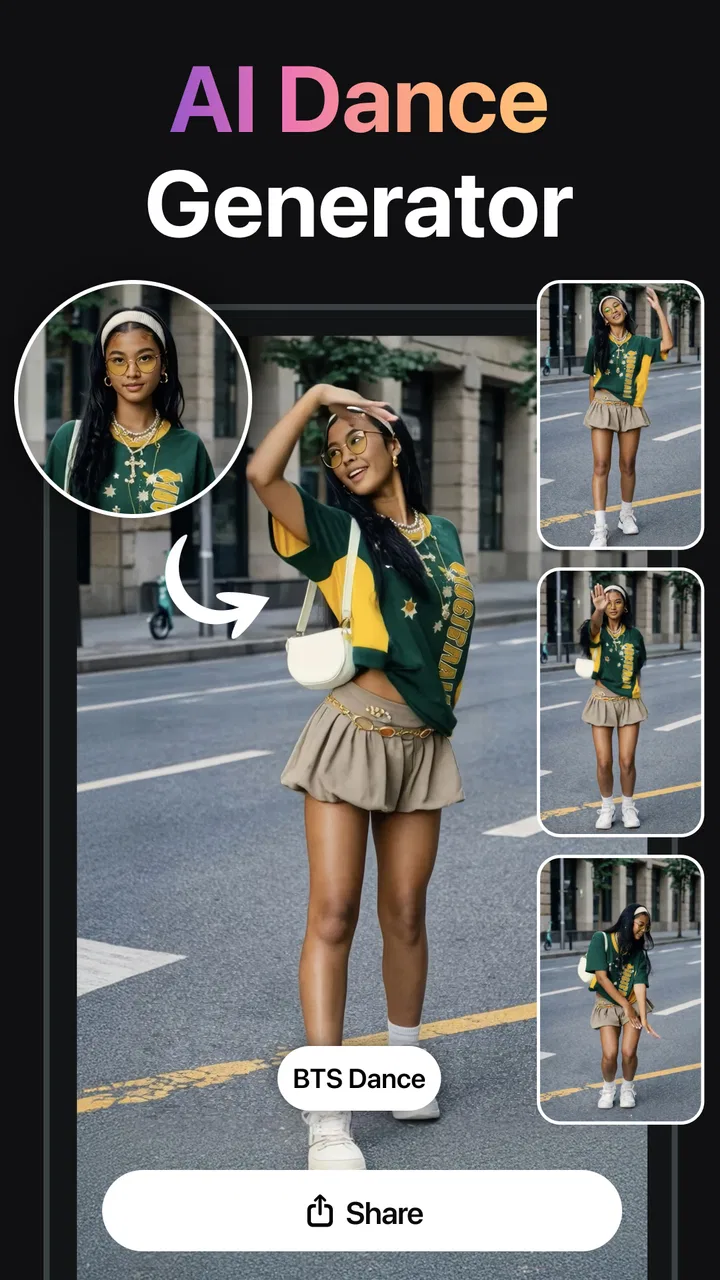
Image-to-video is more practical for everyday use. A photograph already contains the subject, colors, and framing, so the AI has a clearer starting point. I found this workflow better suited to a portrait, product image, travel picture, or illustration that needs a little movement. A subtle animated result can make a static post feel more engaging without requiring a full filming session.
Where the photo tools fit
The AI photo side is not just a separate attraction; it can support the video workflow. If an image needs a more striking visual direction before animation, the photo tools provide a place to experiment. This is useful when I have a rough source picture but want to explore a different look before asking the app to bring it into motion.
A practical workflow is to begin with one clear image, make the visual treatment consistent, and only then try an image-to-video generation. Starting with a cluttered picture creates more opportunities for awkward movement. Subjects with clear separation from the background are easier to evaluate, while busy scenes can make it difficult to tell whether a strange result comes from the original image or the animation step.
The best results come from treating each generation as a visual draft, not as a guaranteed final export. That mindset saves time and makes the app more enjoyable. I can compare a few creative directions, keep the one that communicates the idea, and move to a dedicated editor only when the concept is worth developing.
A realistic everyday scenario
Imagine I am preparing a small announcement for a local event. I have a poster image, but a static poster looks ordinary in a social feed. I can use the image-to-video route to add gentle movement, test a text-to-video concept for an atmospheric background, and then decide which version communicates the event more clearly. The app is valuable here because it helps me produce a presentable visual quickly, without first learning a complex timeline editor.
Another useful case is a personal photo album. A single holiday picture can become a short animated memory, while several images can serve as visual experiments for a later montage. I would still use a conventional editor to control the order, soundtrack, captions, and exact duration, but this app can supply the individual moving moments that make the montage less static.
For artists, the app also works as a prompt laboratory. A written idea that is difficult to draw manually can become a rough moving reference. That can help with composition, color direction, or atmosphere, even when the generated clip is not suitable for publication. In my view, this exploratory role is more dependable than expecting the app to deliver a complete, carefully art-directed sequence in one attempt.
What has changed and what that means for users
On a shared phone or tablet, I’d treat each generation as belonging to the person who started it and avoid entering private photos or personal details into prompts casually. The app is free to install, but in-app purchases range from $7.99 to $79.99 per item, so I’d agree on who may authorize spending before anyone explores paid options. That simple boundary keeps an entertaining experiment from becoming an unexpected household expense.
The current version as a sign of ongoing refinement
Version 1.4.4 shows that the app is not frozen at its first release. It arrived on September 6, 2024, and the current build indicates continued maintenance and refinement since that initial launch. I see that as encouraging for an AI creation tool, because these apps depend heavily on improvements to generation quality, workflow clarity, and compatibility with changing mobile systems.
At the same time, a version number alone does not tell me that every creative limitation has been solved. The important question is how the current build behaves for the task I actually care about. Someone who wants a fast animated image may be satisfied, while someone looking for frame-level control will still find the app fundamentally different from a traditional video editor.
For existing users, the most meaningful effect of an updated build is likely a smoother day-to-day workflow rather than a complete change in the app’s identity. The core promise remains AI-assisted creation across photos and video. I would approach updates with practical expectations: improvements may make the process more comfortable, but they do not turn an automated generator into a manual production environment.
Free access with a cost attached to heavier use
The free entry point is helpful because I can understand the workflow before deciding whether it deserves a regular place in my creative routine. That is particularly important with AI tools, where the result can vary depending on the image, wording, and desired style. I would rather test the app on a small idea than commit immediately to a paid creative service.
There are in-app purchases ranging from $7.99 to $79.99 per item. That broad range means the financial decision deserves attention before I depend on the app for repeated production. A casual user may only need occasional experimentation, while someone generating many variations could reach the paid side of the experience more quickly.
My advice is to evaluate the free workflow using a real project, not just a novelty prompt. Try the kind of image you normally create, check whether the motion feels appropriate, and decide whether the output is useful enough to justify spending. The right question is not whether AI video is exciting; it is whether this particular app saves enough time for your own projects.
How it compares with familiar alternatives
Compared with a standard mobile video editor, this app is much faster at creating an initial visual concept. A conventional editor gives me reliable control over cuts, transitions, layers, timing, typography, and audio. AI Video : Generator & Maker gives me something different: a way to ask for movement or transformation without manually constructing every visual step.
Compared with a dedicated design platform, it is more focused on generative motion and AI-assisted imagery. A design platform is usually the better choice when I need a consistent brand layout, reusable templates, exact text placement, and predictable exports. This app is more appealing when the visual itself is the problem and I want to explore possibilities quickly.
Compared with professional desktop software, the trade-off is even clearer. Desktop tools are better for long projects, repeatable workflows, detailed corrections, and collaboration around a finished timeline. This mobile app wins when convenience matters more than granular control. I can use it on a spontaneous idea, but I would not choose it as the only tool for a complex campaign or narrative video.
Three practical techniques that improve the experience
First, I keep prompts visually concrete. Instead of writing a broad request filled with several moods and actions, I describe one subject, one setting, and one type of movement. This gives the generator a narrower job and makes the result easier to judge. If I want a different mood, I change that deliberately in a separate attempt rather than adding every possible instruction at once.
Second, I prepare the source image before asking for motion. Cropping out unnecessary distractions and choosing a clear main subject can make the generated movement feel more intentional. This is a small step, but it changes the workflow from “upload anything and hope” to “give the model a readable starting point.” The photo tools can be useful during this preparation stage.
Third, I save the app for short visual moments instead of asking it to carry an entire story. A single animated title card, product detail, portrait, or atmospheric shot is easier to evaluate than a long sequence with many changing subjects. Once I have several promising moments, I can assemble them in another editor where timing and sound are under my control.
Where the app still creates friction
AI generation is inherently less predictable than manual editing. A prompt can be clear to me and still produce movement that feels unrelated to the intended action. An image may animate in a visually attractive way but introduce distortions that make it unsuitable for a professional presentation. I would inspect every result rather than assuming that a visually impressive preview is technically clean.
Consistency is another concern for anyone building a sequence. One generated clip may have a pleasing subject and atmosphere, while the next interprets the same idea differently. That makes the app better for standalone posts and concept tests than for a story requiring the same person, object, or setting to remain stable across multiple shots.
There is also a creative trade-off in giving the system so much control. The surprise can be inspiring, but it can also move the result away from my original intention. If I need exact choreography, precise typography, or a particular edit point, manual tools remain the safer option. The app is not a shortcut around every kind of creative decision; it changes which decisions I make myself and which ones I accept from automation.
Who should use it and who should skip it
I would recommend it to social media users who want to animate still images, artists collecting visual references, small businesses testing promotional concepts, and beginners who find traditional editing intimidating. It is also a good fit for someone who enjoys trying several visual directions before choosing one. The free starting point makes that experimentation less demanding than buying a full professional package immediately.
I would be more cautious about recommending it to filmmakers, editors, or designers who need repeatable technical control. If your project depends on exact timing, stable characters, carefully formatted text, detailed audio work, or a long multi-scene structure, a conventional editor will probably serve you better. The same is true if you dislike reviewing several variations before finding one that fits.
People who are sensitive to recurring costs should also test their normal workflow before making a purchase. The in-app purchase range is substantial enough that frequent use should be a considered decision, especially if the app is only being used for occasional novelty clips. I would not pay simply because the first result is entertaining; I would pay only if the tool repeatedly saves me meaningful effort.
What I would watch as the app develops
The next improvements I would value most are not necessarily more dramatic effects. I would watch for better control over motion, stronger consistency between related generations, and clearer ways to refine a promising result without starting again. Those changes would move the app from an idea generator toward a more dependable part of a real creative workflow.
I would also pay attention to how well the app balances automation with user direction. The most useful evolution would let beginners remain comfortable while giving experienced users more influence over the outcome. Better organization of generated variations, more deliberate image preparation, and a smoother handoff to a conventional editor would all make the tool more practical without removing its immediacy.
For now, I see AI Video : Generator & Maker as a focused mobile companion for turning visual ideas into quick motion. It is not the universal answer to video creation, and its automated results need judgment, but it succeeds when I want to explore a concept without building everything by hand. If your goal is fast experimentation with AI photos and short generated clips, it is worth trying. If your goal is precise, repeatable editing from beginning to end, I would keep a traditional editor beside it rather than replacing one with the other.
FAQs for AI Video : Generator & Maker
01What is AI Video: Generator & Maker, and how does it work?
AI Video: Generator & Maker is an innovative app that allows users to create professional-quality videos using AI technology. The app provides a range of templates and editing tools, enabling users to easily generate videos by inputting text, images, and other media. The AI then processes these inputs to produce engaging and visually appealing videos.
02Is AI Video: Generator & Maker suitable for beginners?
Yes, AI Video: Generator & Maker is designed with user-friendliness in mind, making it ideal for both beginners and experienced video creators. The app offers intuitive drag-and-drop features and step-by-step guides to help new users get started quickly, while advanced features are available for those seeking more control over their video projects.
03What devices are compatible with AI Video: Generator & Maker?
AI Video: Generator & Maker is available for both Android and iOS devices. It requires a minimum of Android 8.0 or iOS 11.0 to function smoothly. The app is optimized to work on smartphones and tablets, providing flexibility and convenience for users who want to create videos on the go.
04Are there any subscription fees or in-app purchases?
AI Video: Generator & Maker offers a free version with basic features, allowing users to create simple videos without any cost. For access to premium templates, advanced editing tools, and additional features, users can opt for a subscription plan. Prices vary, so it’s best to check the app store for current rates and offers.
05How does AI Video: Generator & Maker ensure the privacy and security of user data?
AI Video: Generator & Maker prioritizes user privacy and data security. The app complies with global data protection regulations and employs encryption to safeguard personal information. Users can review the app’s privacy policy within the app or on the official website to understand how their data is managed and protected.
Pros
- User-friendly interface for easy navigation.
- Wide variety of templates available.
- Quick processing and rendering time.
- High-quality video output.
- Supports multiple video formats.
Cons
- Limited free features; requires subscription.
- Occasional bugs in video export.
- No offline mode available.
- Requires stable internet for optimal use.
- In-app ads can be intrusive.

AI Video : Generator & Maker
Gallery